Machines and catalog
The Machines tab combines one shared sales catalog with the list of physical world machines. Catalog changes affect every machine; locations can be managed independently.
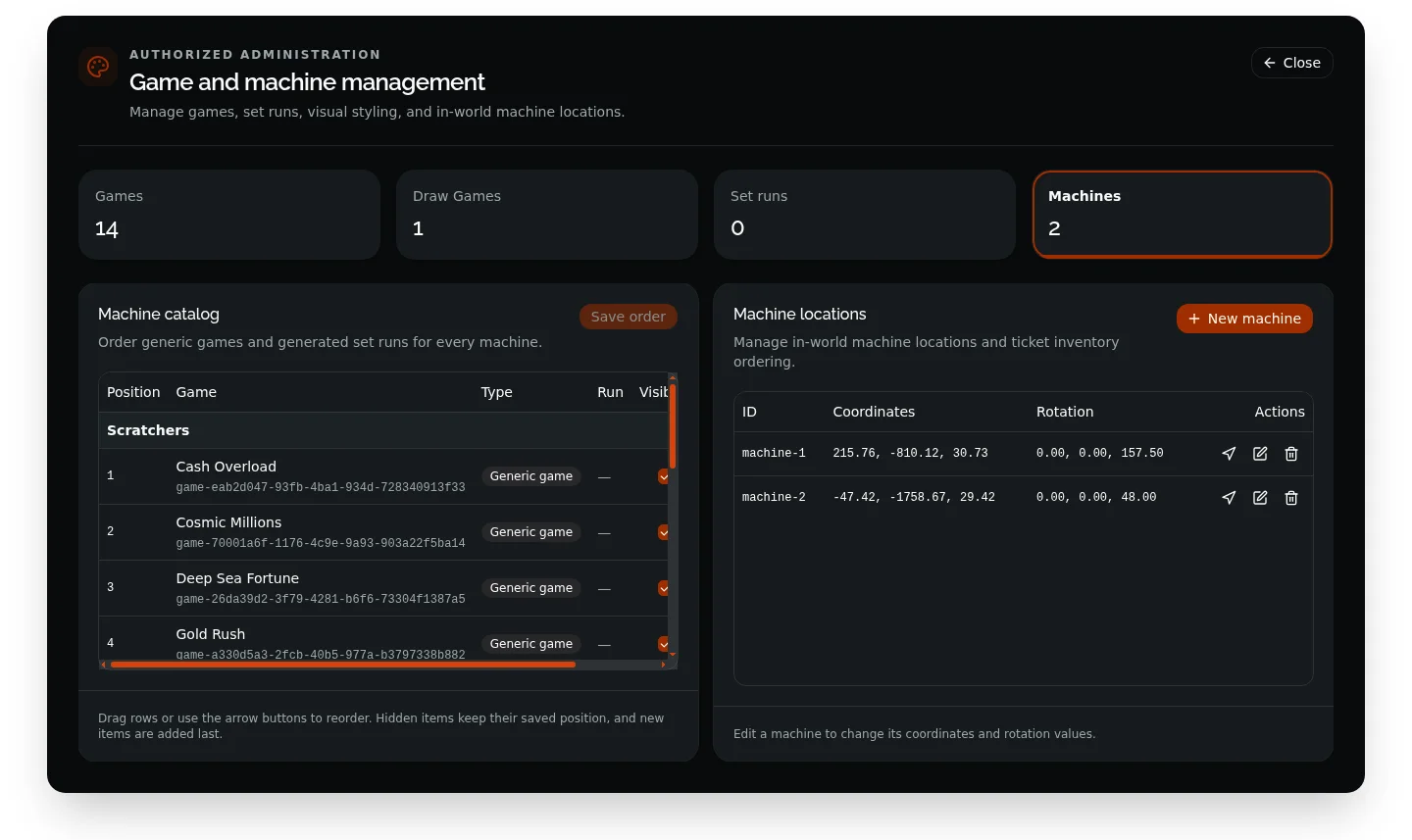
Machine catalog
The catalog includes only eligible inventory:
- Every active generic instant game.
- Every generated run belonging to an active set-based game.
- Every enabled, non-archived draw game.
Use the arrow buttons to change their order. Toggle Visible to hide an item without losing its saved position, then select Save order. New eligible items are appended automatically.
Scratchers and draw games remain separate in the player machine UI. Instant games and set runs must stay before the Draw Games section, so they cannot be dragged across that boundary.
Hiding an item stops new machine purchases; it does not invalidate vouchers or tickets players already own.
Create a machine manually
- Stand within the configured placement distance of the destination.
- Select New machine.
- Enter the X, Y, and Z coordinates plus X, Y, and Z rotation.
- Select Save machine.
The server creates a short-lived placement token, validates all vectors, and refreshes every client to reload machines.
The streamed prop is selected by machine.prop in config/server.lua and must match the resource’s included model. The default is vending_machine.
Place with the coordinate laser
Select Select with laser from the machine editor. Use the in-game controls below:
| Control | Action |
|---|---|
| Mouse wheel | Rotate the ghost prop left or right by 5 degrees per step. |
| + / - | Raise or lower the preview by 0.05 units per step. |
| E | Accept the targeted coordinates and return them to the editor. |
| Backspace | Cancel without saving. |
The laser displays a translucent ghost prop and marker at the camera raycast. After selecting a point, review the returned coordinates and save the machine. A selected point must still pass the server’s placement-distance check.
Location actions
| Action | Behavior |
|---|---|
| Teleport | Closes the admin panel and moves the authorized admin to the stored location and rotation. |
| Edit | Changes coordinates or rotation using the same manual or laser workflow. |
| Delete | Permanently removes that machine location after confirmation and reloads machines for all clients. |
Deleting a location does not delete games, runs, draw games, or the shared catalog.
Distance settings
Three distances serve different purposes:
config.client.machineRenderDistancecontrols when the prop is created locally; default100.0.config.client.machineInteractionDistancecontrols when the interaction prompt is shown; default2.0.config.server.machine.interactionDistancevalidates machine sessions server-side; default3.0.